Advanced Performance Monitoring with Lighthouse, PageSpeed Insights, and Search Console
Published at 2025-11-23Updated at 2025-11-23Licensed under MIT performancelighthousepagespeed-insightssearch-consoleweb-vitals Table of Content
- 1. Intro: Performance is a system, not a report
- 2. The three pillars of Google performance tooling
- 3. Lighthouse: advanced usage beyond scores
- Advanced Lighthouse workflows
- Ignore the score, read the trace
- 4. PageSpeed Insights: bridging lab and field
- Reading PSI correctly
- 5. Google Search Console: performance at scale
- Limitations
- Why it matters
- 6. Synthetic vs. Real User Monitoring (RUM)
- Synthetic Monitoring (Lighthouse, WebPageTest)
- Real User Monitoring (CrUX, web-vitals.js)
- 7. Building a modern monitoring stack
- 8. Common mistakes teams make
- 9. What’s next: where monitoring is going
- 10. Conclusion
- Key References
- @khriztianmoreno
Tools do not fix performance. Systems do.
Most developers treat performance as a checklist: run a Lighthouse audit, fix a few warnings, and move on. But performance is not a static state; it is a changing ecosystem. Your users are on different devices, networks, and browsers. Your code changes daily.
If you are only looking at performance when you remember to run a report, you are already behind.
This guide explains how to move from one-off audits to continuous performance monitoring using the three pillars of Google’s tooling ecosystem: Lighthouse, PageSpeed Insights (PSI), and Google Search Console (GSC).
1. Intro: Performance is a system, not a report
We have all been there. You run a Lighthouse audit locally and get a 95. You push to production, run it again, and get a 72. You check PageSpeed Insights, and it shows completely different numbers. Then you look at Search Console, and it says everything is fine—but the data is from three weeks ago.
It feels contradictory, but it isn’t. Each tool is answering a different question.
To build a robust performance culture, you must stop chasing a single “score” and start listening to the signals your system is sending.
2. The three pillars of Google performance tooling
Before diving into workflows, let’s establish a mental model for what each tool actually does.
| Tool | Data Type | Question it Answers |
|---|---|---|
| Lighthouse | Synthetic (Lab) | What could go wrong? |
| PageSpeed Insights | Hybrid (Lab + Field) | What is going wrong? |
| Search Console | Field (CrUX) | Does Google see a problem? |
Understanding this distinction is crucial. You use Lighthouse to catch regressions before they ship. You use PageSpeed Insights to validate real-world impact. You use Search Console to track long-term health and SEO ranking signals.
3. Lighthouse: advanced usage beyond scores
Lighthouse is a lab tool. It runs in a controlled environment (your machine or a CI server) with a predefined device and network profile. Because it is synthetic, it is deterministic and reproducible. This makes it the ideal tool for Continuous Integration (CI).
Advanced Lighthouse workflows
Don’t just run Lighthouse manually in Chrome DevTools. That relies on your local computer’s CPU power and extensions, which skews the results.
Run Lighthouse in CI to prevent performance regressions before they merge.
# Example: Running Lighthouse via CLI
npx lighthouse https://example.com \
  --preset=desktop \
  --only-categories=performance
By integrating Lighthouse CI, you can enforce performance budgets. For example, fail the build if the bundle size exceeds 200KB or if the Largest Contentful Paint (LCP) is forecasted to be over 2.5s.
Ignore the score, read the trace
The 0-100 score is a summary for managers. Engineers need the Trace.
The trace reveals exactly what happened during the page load:
- Main-thread blocking time: Which specific JavaScript function locked up the UI?
- Render-blocking resources: Did a CSS file delay the first paint?
- Unused JavaScript: Are you shipping library code that is never executed?
Use the Lighthouse Trace Viewer to drill down into the milliseconds.
4. PageSpeed Insights: bridging lab and field
PageSpeed Insights (PSI) is often misunderstood because it presents two sets of data next to each other:
- Lab Data (Lighthouse): A simulation run on Google’s servers.
- Field Data (CrUX): Real data from real users visiting your site (Chrome User Experience Report).
This is why teams get confused. “Lighthouse says my LCP is 1.2s, but Field Data says it’s 3.5s. Which is true?”
The Field Data is the truth. It represents what your actual users are experiencing. If your Lab data is fast but Field data is slow, your local simulation assumes a faster network or device than your users actually have.
Reading PSI correctly
- Field data → Reality. This is what Google uses for ranking. If this is red, you have a problem, no matter what Lighthouse says.
- Lab data → Diagnosis. Use this to reproduce issues found in the field.
- Opportunities → Hypotheses. These are algorithmic suggestions. Not all of them will improve Core Web Vitals.
Important Rule: Never optimize for a Lab metric that does not correlate with a Field problem. If PSI says “Remove unused CSS” but your FCP is already 0.8s in the field, that optimization is a waste of time.
5. Google Search Console: performance at scale
Google Search Console (GSC) provides the “Core Web Vitals” report. This is aggregated CrUX data grouped by URL patterns.
Limitations
- Delayed: Data is a 28-day rolling average. You won’t see the impact of a deploy today until weeks later.
- Aggregated: It groups pages together (e.g., “200 similar URLs”). It can be hard to debug a specific outlier page.
Why it matters
Despite the lag, GSC is critical because this is exactly how Google groups and ranks your site. It tells you if you have systemic issues affecting entire sections of your application (e.g., “All product pages have poor CLS”).
Use GSC to:
- Detect systemic issues: If CLS spikes across all
/blog/*pages, you likely introduced a layout shift in your blog post template. - Validate long-term improvements: After a fix, use the “Validate Fix” button to tell Google to start verifying the new data.
6. Synthetic vs. Real User Monitoring (RUM)
This distinction is the conceptual core of modern performance engineering.
Synthetic Monitoring (Lighthouse, WebPageTest)
- Pros: Fast feedback, controlled environment, cheap to run, CI-friendly.
- Cons: Not representative of real users, misses device diversity, “clean room” environment.
- Best for: Preventing regressions during development.
Real User Monitoring (CrUX, web-vitals.js)
- Pros: Actual user experience, captures device/network diversity, correlates with business metrics and SEO.
- Cons: Slower feedback loop, requires instrumentation, data can be noisy.
- Best for: Understanding reality and verifying fixes.
Why you need both: Synthetic finds problems early (while coding). RUM confirms they actually matter to users.
7. Building a modern monitoring stack
A mature engineering team uses a pipeline that looks like this:
- Local Development: Engineers use Lighthouse in DevTools to spot obvious issues.
- CI/CD Pipeline: Lighthouse CI runs on every Pull Request. It blocks merges if metrics degrade beyond a threshold.
- Production (Synthetic): A service runs a Lighthouse check on key pages every hour to catch infrastructure issues or third-party script regressions.
- Production (RUM): The site reports Core Web Vitals to an analytics endpoint (using
web-vitals.js) to track real-time trends. - SEO Health: The team reviews Search Console weekly to ensure no new URL groups are flagged as “Poor”.
8. Common mistakes teams make
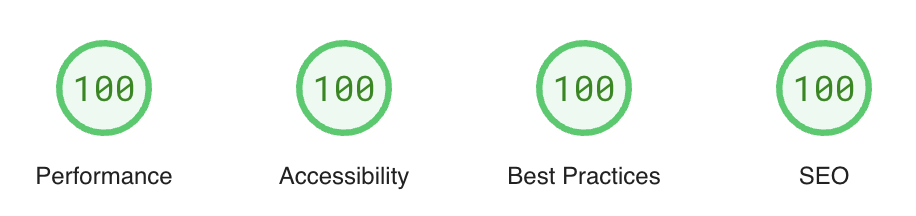
- Chasing Lighthouse 100: A score of 100 on a Developer’s MacBook Pro means nothing if your users are on low-end Android devices.
- Ignoring INP in field data: Interaction to Next Paint (INP) is hard to reproduce in Lab tools because they don’t click around. You must rely on Field data for INP.
- Treating Search Console as real-time: Don’t panic if GSC doesn’t update the day after a fix. It takes time.
- Optimizing Lab-only regressions: If Lighthouse complains about a metric that looks green in CrUX, deprioritize it.
9. What’s next: where monitoring is going
Performance monitoring is moving towards attribution. It’s not enough to know that the page is slow; we need to know what code made it slow.
- Route-level CWV: Tools are getting better at attributing metrics to specific SPA routes (Soft Navigations).
- More granular CrUX data: Google is exposing more detailed data in the CrUX History API.
- Interaction breakdowns: LoAF (Long Animation Frames) API is revolutionizing how we debug main-thread blocking, giving us stack traces for long tasks in the wild.
10. Conclusion
No single tool gives you the full picture. Lighthouse helps you build fast software. PageSpeed Insights helps you debug user issues. Search Console helps you maintain your search ranking.
Performance is not a task you finish. It is a signal you continuously listen to. Start listening today.
Key References
- Web Vitals Documentation
- Google Search Central: Core Web Vitals
- Lighthouse Documentation
- PageSpeed Insights
I hope this has been helpful and/or taught you something new!

@khriztianmoreno
Until next time.